No app code. No backend code. No SDK. No app release.
Apple Retention Messaging is triggered by Apple during the cancellation flow. Apple calls the realtime URL you configured. The app does not call RetainKit, does not embed a RetainKit SDK, and does not need a new release just to serve cancellation-time messages or promotional offers.
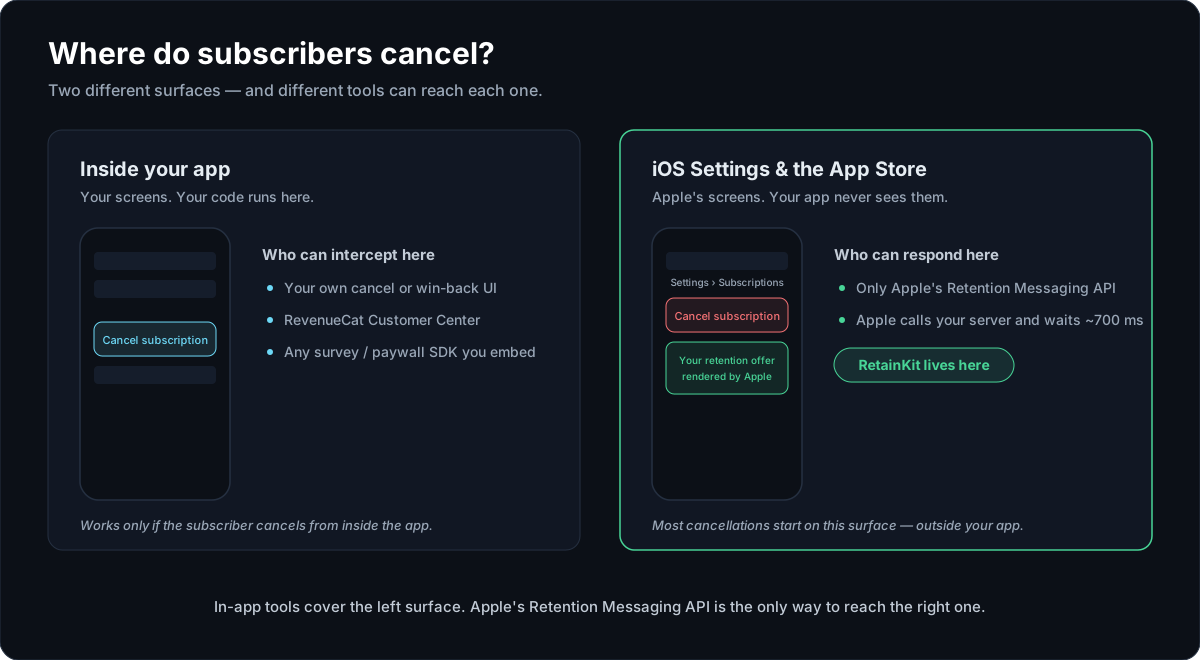
This is why the API is operationally interesting. The subscriber can see a retention message inside Apple's cancellation UI even if your current app build knows nothing about Retention Messaging.
Why a server-to-server API changes the work
Every other retention surface you control lives inside your app, which means every improvement rides an app release: build, review, phased rollout, and the long tail of users who never update. The retention callback breaks that dependency. Apple calls a URL; whoever answers that URL decides what the subscriber sees. Change the answer and every subscriber on every app version gets the new behavior immediately.
It also means the API reaches the one surface your app can't: the cancellation flow in iOS Settings, where your code has never run.
What setup is still required
No SDK does not mean no setup. It means the setup is server-side and App Store Connect-side.
- Request Apple Retention Messaging API access.
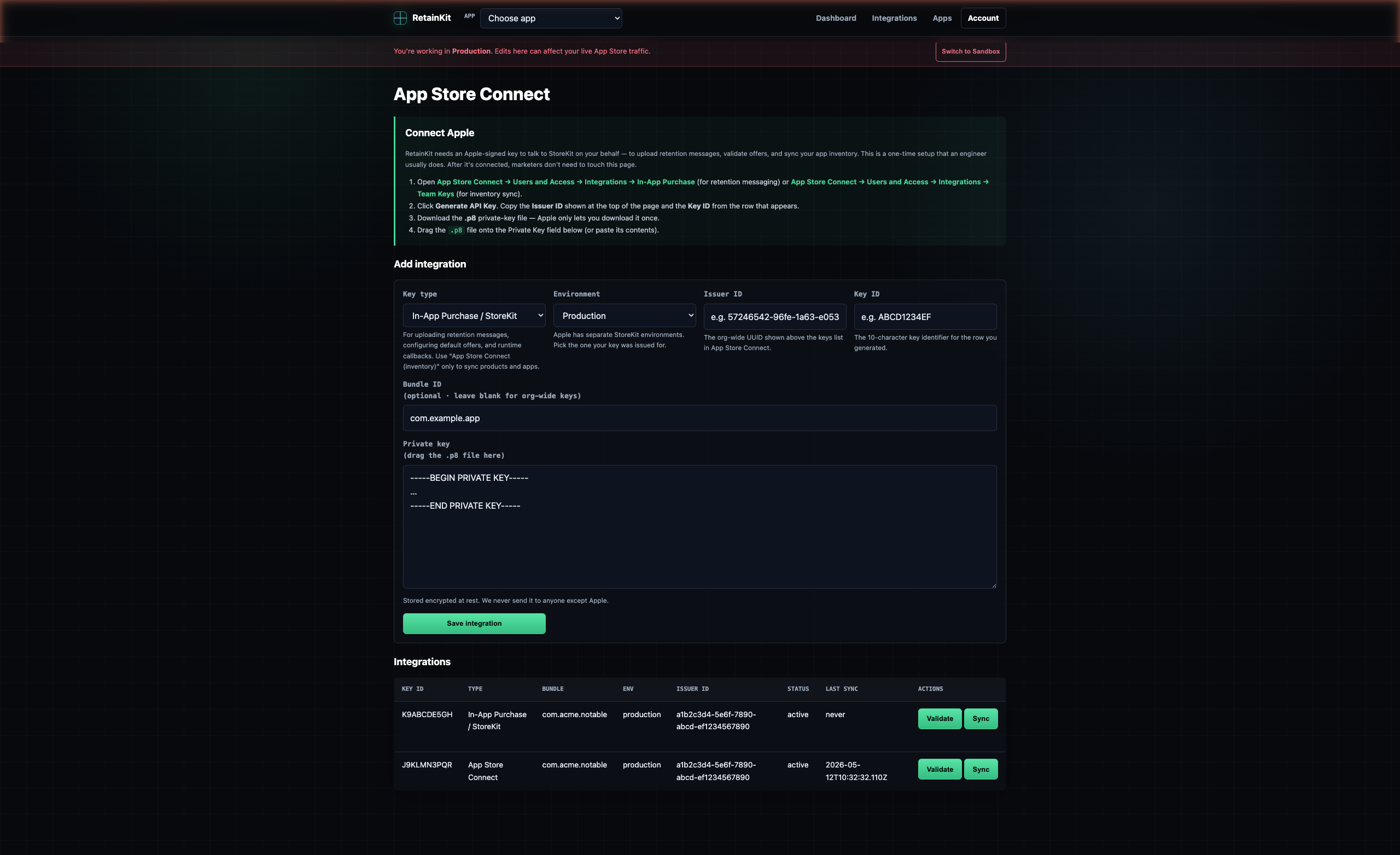
- Add App Store Connect API credentials for sync and configuration.
- Add StoreKit/In-App Purchase key material for promotional-offer signing.
- Sync apps, subscription groups, products, and promotional offers.
- Upload Retention Messaging messages and wait for production approval.
- Register sandbox and production realtime URLs with Apple — RetainKit does this for you.
- Run and pass the sandbox performance test.
What day 1 to day 14 actually looks like
The calendar time in a Retention Messaging rollout is Apple's, not yours. Your own work fits in a couple of afternoons; the rest is waiting on two reviews you can run in parallel. A realistic sequence:
Request API access from Apple. Connect App Store Connect credentials and StoreKit key material. Sync apps, products, and subscription groups. Total hands-on time: under an hour.
Draft retention messages and upload them for production review. Upload sandbox copies too — those are auto-approved, so you can test immediately.
Build flows against sandbox: rules, offers, A/B splits. Run the sandbox performance test and get a PASS. Sandbox events are free, so rehearse as much as you like.
Wait. Apple reviews API access and production message content on its own schedule — plan for days, not hours. Nothing on your side blocks; the flows you built stay ready.
RetainKit emails you when Apple approves your messages. RetainKit registers the production realtime URL with Apple for you — flip the flow to production and you're answering real cancellations the same day.
The important property: none of the waiting requires an engineer on standby, and none of the go-live steps require an app release. Approval day is a config change, not a deploy.
What RetainKit hosts for you
RetainKit hosts the Apple-facing runtime and the operational control plane around it. That is the part most teams would otherwise build as a mix of scripts, environment variables, spreadsheets, and a small service no one wants to own during a cancellation spike.
Cloudflare Workers endpoint per app and environment: runtime.retainkit.dev/apple/retention/{appId}/{environment}.
Published retention flows compiled into immutable runtime configs.
Server-side promotionalOfferSignatureV2 generation using encrypted StoreKit key material.
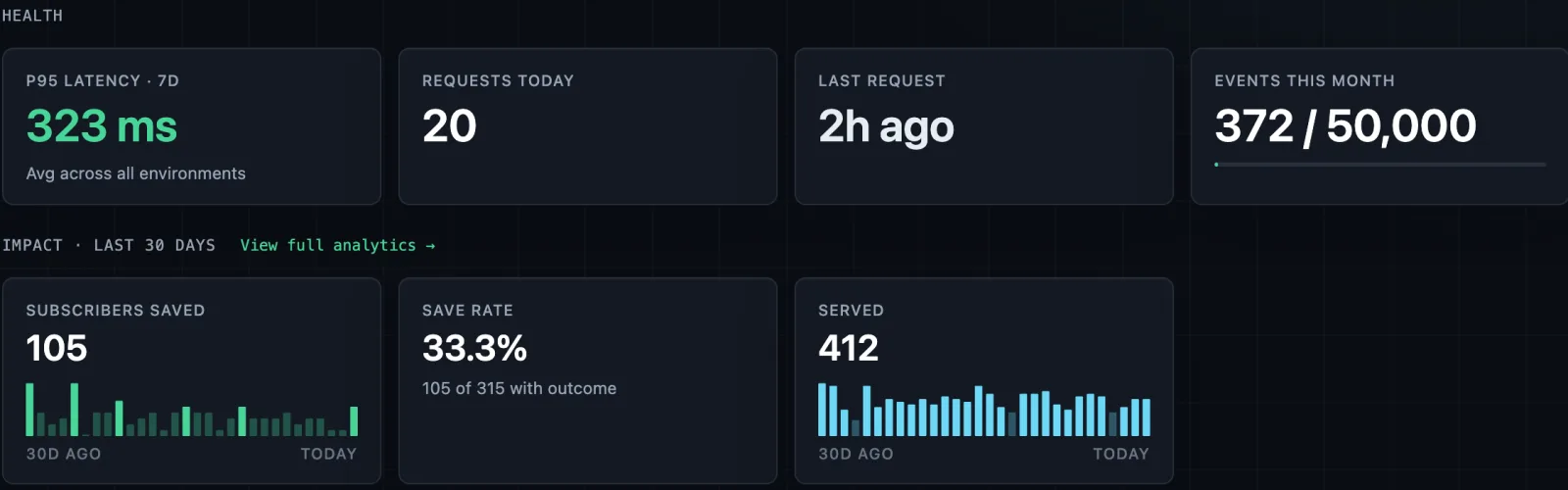
Validation, sandbox testing support, rollout, rollback, simulator flows, and runtime logs.
Simple architecture
The request path is direct. Apple owns the cancellation UI. RetainKit owns the hosted response runtime. Your app remains outside the loop.
Apple cancellation UI
  -> Apple StoreKit server
  -> RetainKit realtime URL
  -> published retention flow snapshot
  -> message / signed promotional offer / alternate product response
Because the runtime is server-side, teams can change retention behavior without waiting for app review. A product or growth operator can publish a new approved message, change rollout percentage, or roll back a flow while the app binary stays untouched.
Launch checklist
Everything required to go from nothing to answering production cancellations, in order:
- Apple Retention Messaging API access requested (and eventually granted).
- App Store Connect API key connected; apps, products, and subscription groups synced.
- StoreKit / In-App Purchase key uploaded for promotional-offer signing.
- Sandbox messages uploaded (auto-approved) and production messages submitted for review.
- Sandbox realtime URL configured; sandbox performance test run with a
PASS. - Retention flows built and validated against sandbox, including any A/B split.
- Production messages
APPROVED— you'll get an email the moment this happens. - Production realtime URL registered with Apple — RetainKit does this for you.
- Flow published to production; first live retention events visible in the outcome dashboard.
Where no-code stops
No SDK integration applies to the Apple Retention Messaging callback. It does not remove Apple's access requirements, message review, promotional offer setup, or performance testing. It also does not replace your entitlement system, purchase handling, App Store Server Notifications, or subscription analytics.
If you self-host runtime evaluation instead of using RetainKit-hosted endpoints, you will need backend code for the realtime URL. RetainKit can still act as the control plane and export runtime configs, but the no-backend-code claim applies to the hosted runtime path.
Sources
- Apple Retention Messaging documentation
- Apple Configure Realtime URL documentation
- Apple realtime request body documentation
Set up retention messaging while you wait for Apple. RetainKit hosts the endpoint, signs the offers, and measures what you saved — no SDK, no app release. Try the live demo: no signup or Apple key required.